AWS Cloud Migration Plan for DevOps Engineers
Introduction
Cloud migration has become a strategic imperative for organizations aiming to improve scalability, resilience, and operational efficiency. Among cloud service providers, AWS offers the most mature and comprehensive ecosystem for enterprise-scale migrations.
For DevOps/Cloud engineers, successfully managing an AWS migration requires more than infrastructure knowledge, it demands structured planning, automation, security-first design, and continuous optimization.
This blog walks through the end-to-end AWS cloud migration journey, from assessment and planning to execution and post-migration optimization, with practical, real-world insights.
Why Migrate to AWS?
Before diving into how to migrate, it is important to understand why organizations choose AWS.
Key Benefits of AWS Cloud Migration
-
Elastic Scalability
Instantly scale compute, storage, and networking using services like EC2 Auto Scaling, ELB, and AWS Lambda.
-
Cost Optimization
Pay-as-you-go pricing, combined with Reserved Instances, Savings Plans, and Spot Instances, significantly reduces infrastructure costs.
-
Global Reach
Deploy applications across multiple Regions and Availability Zones for low latency and high availability.
-
Built-in Disaster Recovery
Native services such as Amazon S3 replication, AWS Backup, and cross-region failover simplify DR strategies.
-
Speed and Agility
Rapid provisioning using Infrastructure as Code (Terraform, CloudFormation) accelerates development and releases.
Cloud migration on AWS is not just an infrastructure move, it is an enabler for innovation, automation, and faster time-to-market.
Types of Cloud Migrations on AWS
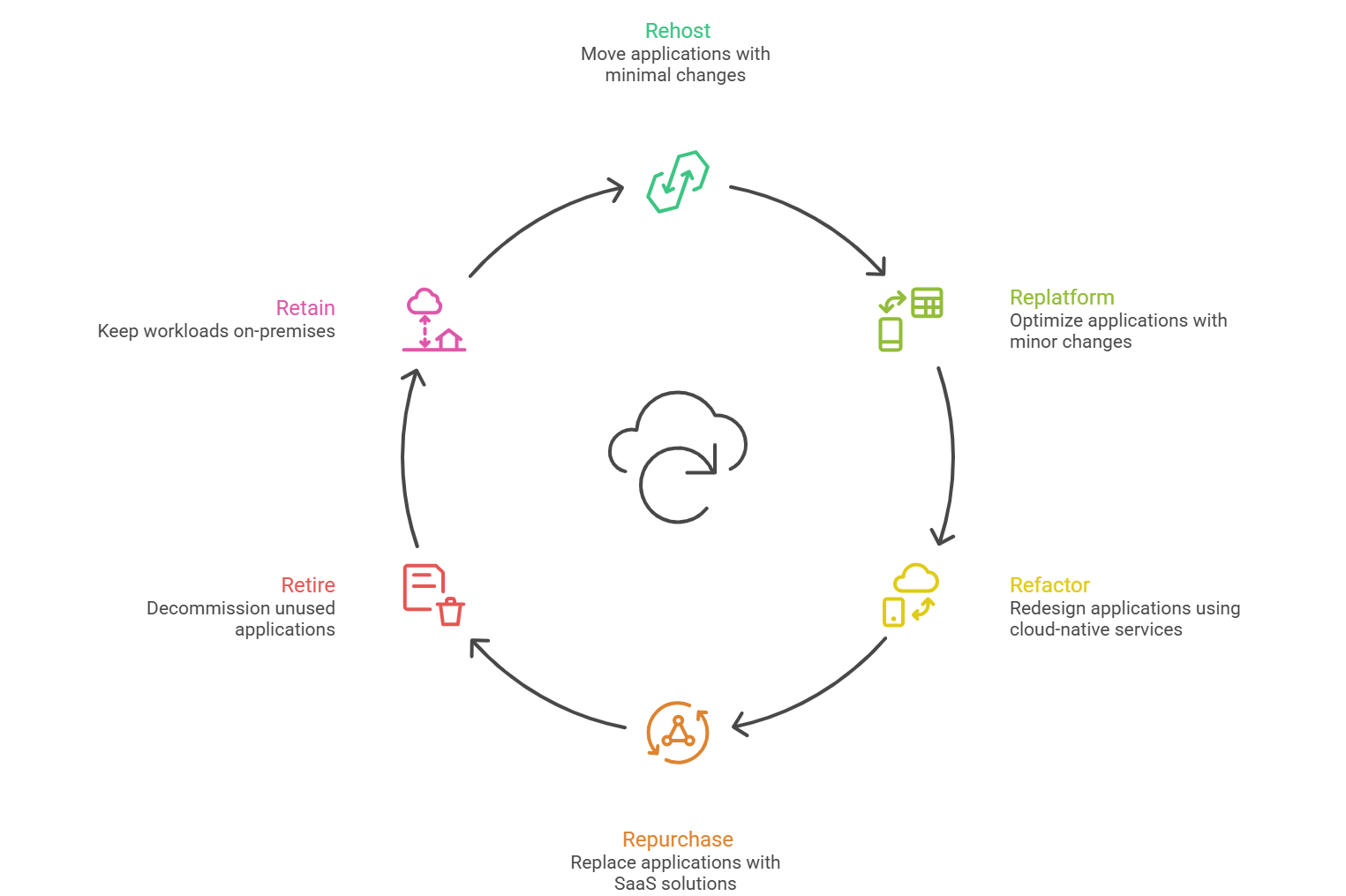
AWS supports multiple migration strategies, commonly referred to as the “6 Rs of Migration.”
| Migration Type | Description |
|---|---|
| Rehosting (Lift & Shift) | Move applications to AWS with minimal changes using services like AWS Application Migration Service. |
| Replatforming | Make minor optimizations (e.g., move from self-managed DB to Amazon RDS) without changing core architecture. |
| Refactoring (Re-architecting) | Redesign applications using cloud-native services such as Lambda, ECS, or EKS. |
| Repurchasing | Replace existing applications with SaaS solutions (e.g., CRM to Salesforce). |
| Retiring | Decommission unused or redundant applications. |
| Retaining | Keep certain workloads on-premises due to compliance or technical constraints. |
Choosing the correct strategy per workload is critical for cost control and long-term success.
Pre-Migration Planning on AWS
Thorough planning reduces risk, downtime, and unexpected costs.
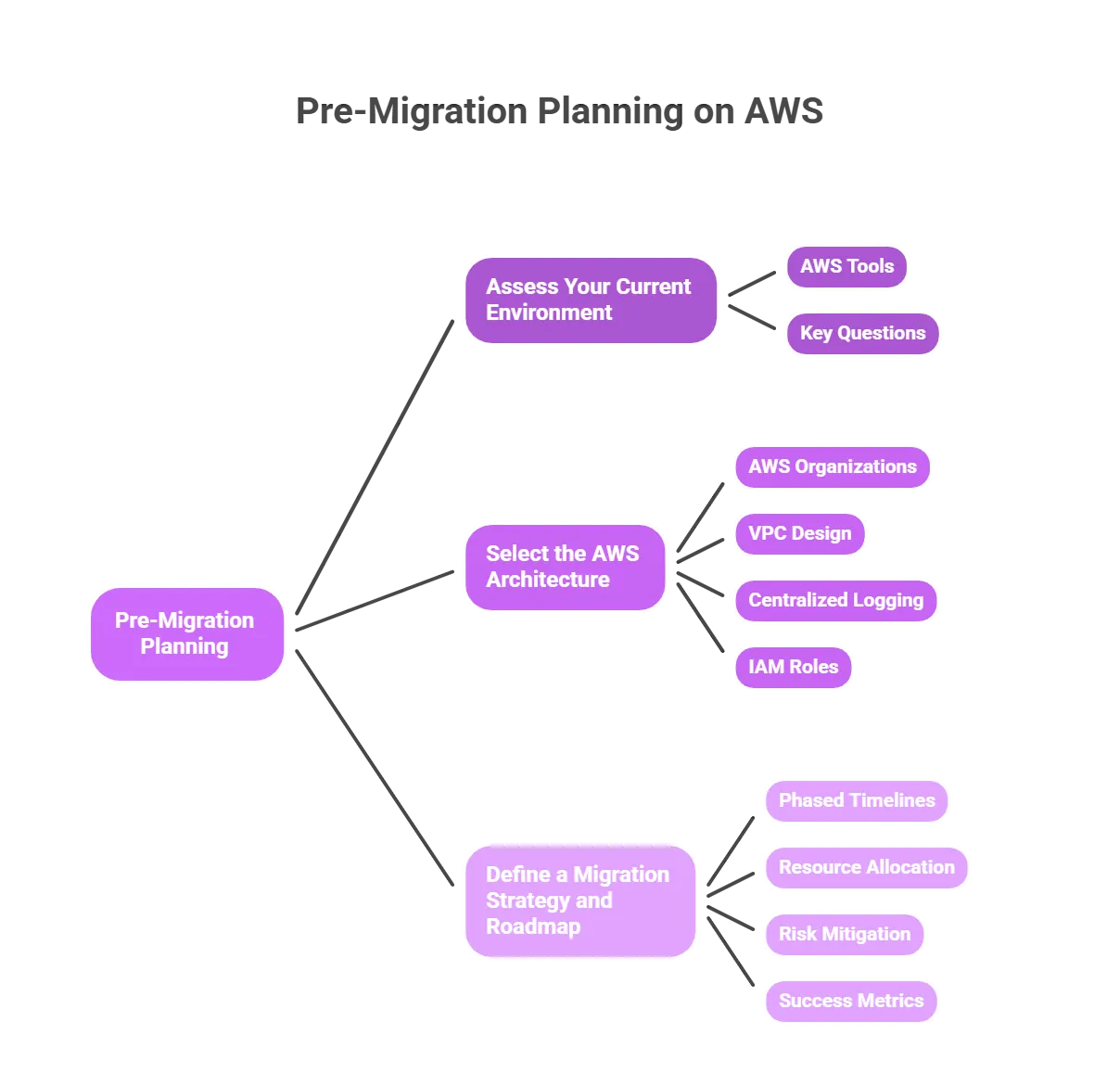
1. Assess Your Current Environment
Start with a detailed discovery of your existing infrastructure.
AWS Tools to Use:
- AWS Application Discovery Service
- AWS Migration Evaluator
Key Questions:
- Which applications are business-critical?
- Are there legacy systems with OS or licensing constraints?
- What are the performance, availability, and compliance requirements?
2. Select the AWS Architecture
Design a Landing Zone that follows AWS Well-Architected Framework principles.
Key Components:
- AWS Organizations and multiple accounts
- VPC design with public/private subnets
- Centralized logging and monitoring
- IAM roles and least-privilege access
3. Define a Migration Strategy and Roadmap
Your migration plan should include:
- Phased timelines (wave-based migration)
- Resource allocation (DevOps, Security, App teams)
- Risk mitigation and rollback plans
- Success metrics (performance, cost, stability)
The AWS Cloud Migration Process
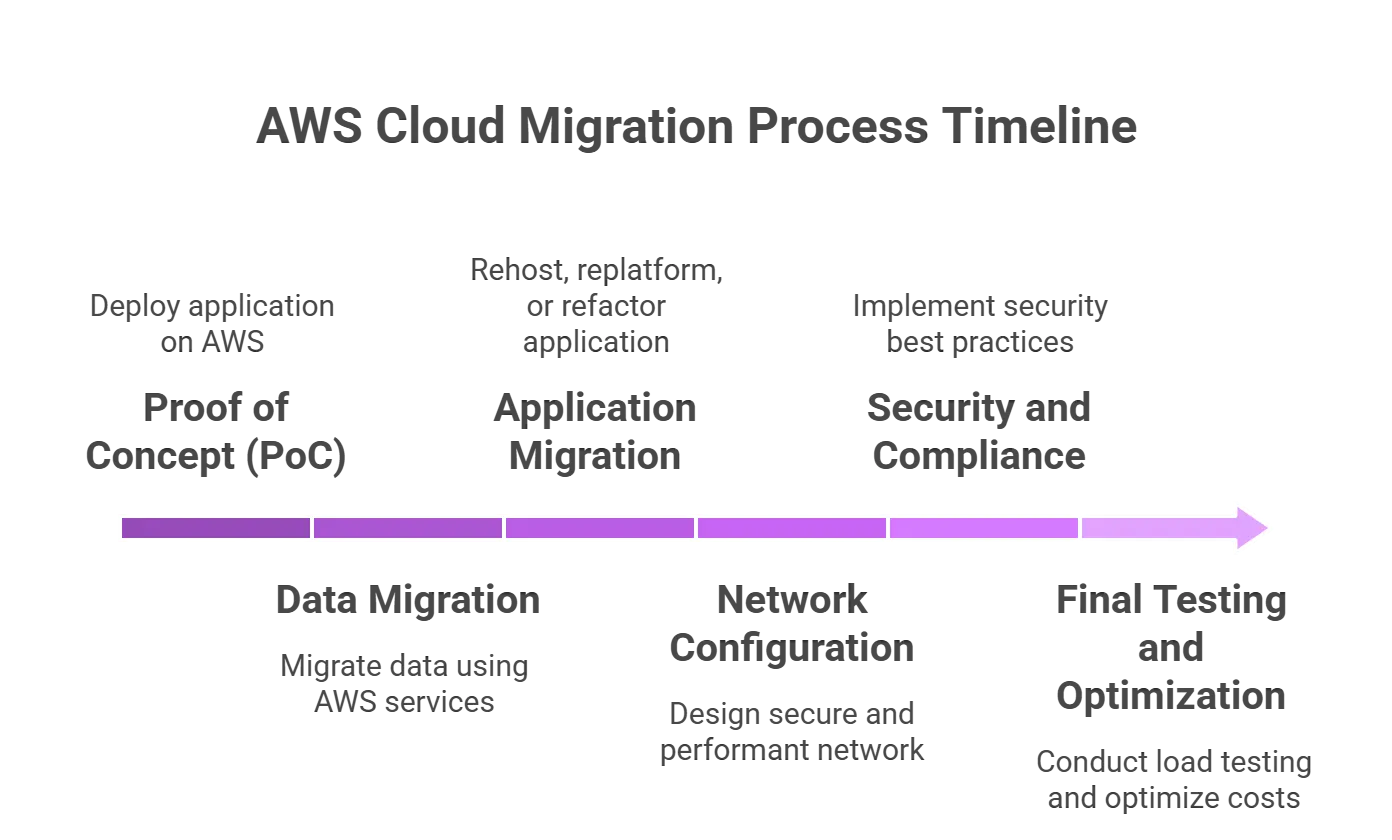
1. Proof of Concept (PoC)
Begin with a non-production workload to validate assumptions.
Steps:
- Deploy the application on AWS (EC2, ECS, or EKS)
- Configure networking and IAM
- Test performance, security, and cost
- Document findings and lessons learned
2. Data Migration
Data migration is often the most complex phase.
AWS Data Migration Options:
- AWS Database Migration Service (DMS)
- AWS Snowball / Snowmobile (for large datasets)
- AWS DataSync
- S3 Transfer Acceleration
Best Practices:
- Classify data by sensitivity
- Encrypt data in transit and at rest
- Validate data integrity post-migration
- Maintain backups throughout the process
3. Application Migration
Depending on the chosen strategy:
- Rehosting: AWS Application Migration Service
- Replatforming: Move databases to Amazon RDS or Aurora
- Refactoring: Break monoliths into microservices using Lambda, ECS, or EKS
Critical Activities:
- Functional and regression testing
- Performance benchmarking
- Auto Scaling and load balancing configuration
4. Network Configuration
Networking must be carefully designed for security and performance.
AWS Networking Components:
- Amazon VPC with CIDR planning
- Security Groups and Network ACLs
- Site-to-Site VPN or AWS Direct Connect
- Route 53 for DNS management
5. Security and Compliance
Security must be embedded from day one.
AWS Security Best Practices:
- IAM roles with least privilege
- AWS KMS for encryption
- AWS WAF and Shield for application protection
- AWS Config and CloudTrail for governance and auditing
6. Final Testing and Optimization
Before go-live:
- Conduct load and stress testing
- Enable monitoring and alerts
- Optimize costs using AWS Cost Explorer and Trusted Advisor
Post-Migration Best Practices on AWS
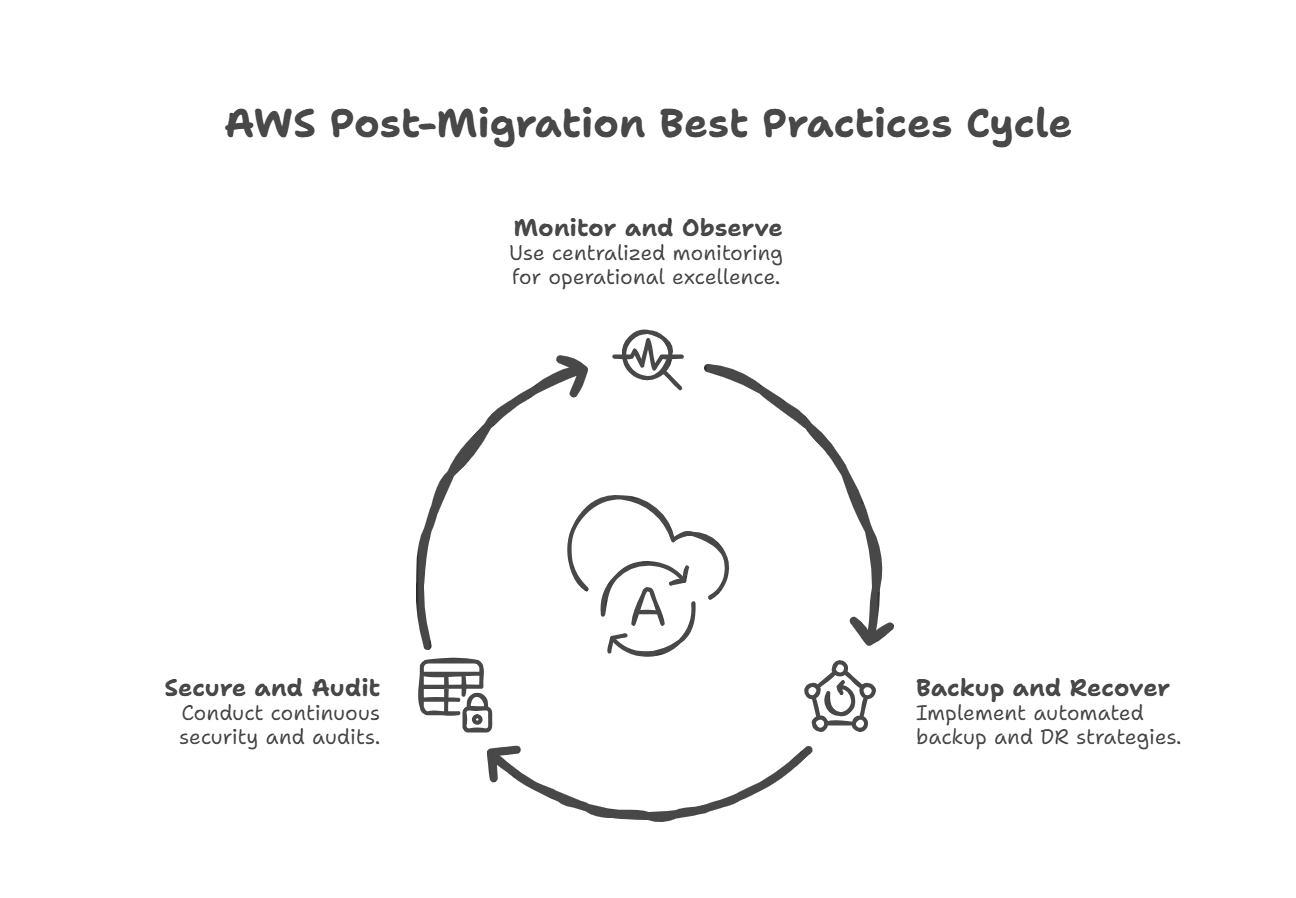
1. Monitoring and Observability
Use centralized monitoring to maintain operational excellence.
Tools:
- Amazon CloudWatch
- AWS X-Ray
- Prometheus & Grafana
- OpenSearch (ELK stack)
2. Backup and Disaster Recovery
Implement automated backup and DR strategies.
AWS Services:
- AWS Backup
- Cross-region S3 replication
- Multi-AZ and Multi-Region architectures
3. Continuous Security and Audits
Security is ongoing, not one-time.
Recommended Tools:
- Amazon Inspector
- AWS Security Hub
- Trivy for container scanning
- HashiCorp Vault or AWS Secrets Manager
Common Challenges and Mitigation Strategies
1. Data Transfer Delays
Use Snowball or phased migration for large datasets.
2. Security Risks
Apply defense-in-depth with IAM, encryption, and network isolation.
3. Downtime
Adopt blue-green deployments and rollback strategies.
Conclusion
Migrating to AWS is a transformative journey that requires structured planning, automation, and DevOps maturity. When executed correctly, AWS cloud migration delivers unparalleled scalability, reliability, and innovation velocity.
As a DevOps/Cloud engineer, your role is central like bridging infrastructure, security, automation, and application teams to ensure a smooth and successful transition.
This guide provides a solid foundation to lead AWS cloud migrations with confidence, whether you are modernizing legacy systems or scaling cloud-native workloads.
💡Pro Tip: Continuously align your architecture with the AWS Well-Architected Framework. AWS services evolve rapidly, and staying current ensures your environment remains secure, cost-efficient, and resilient.
Stay tuned for more. Let’s connect on Linkedin and explore my GitHub for future insights.