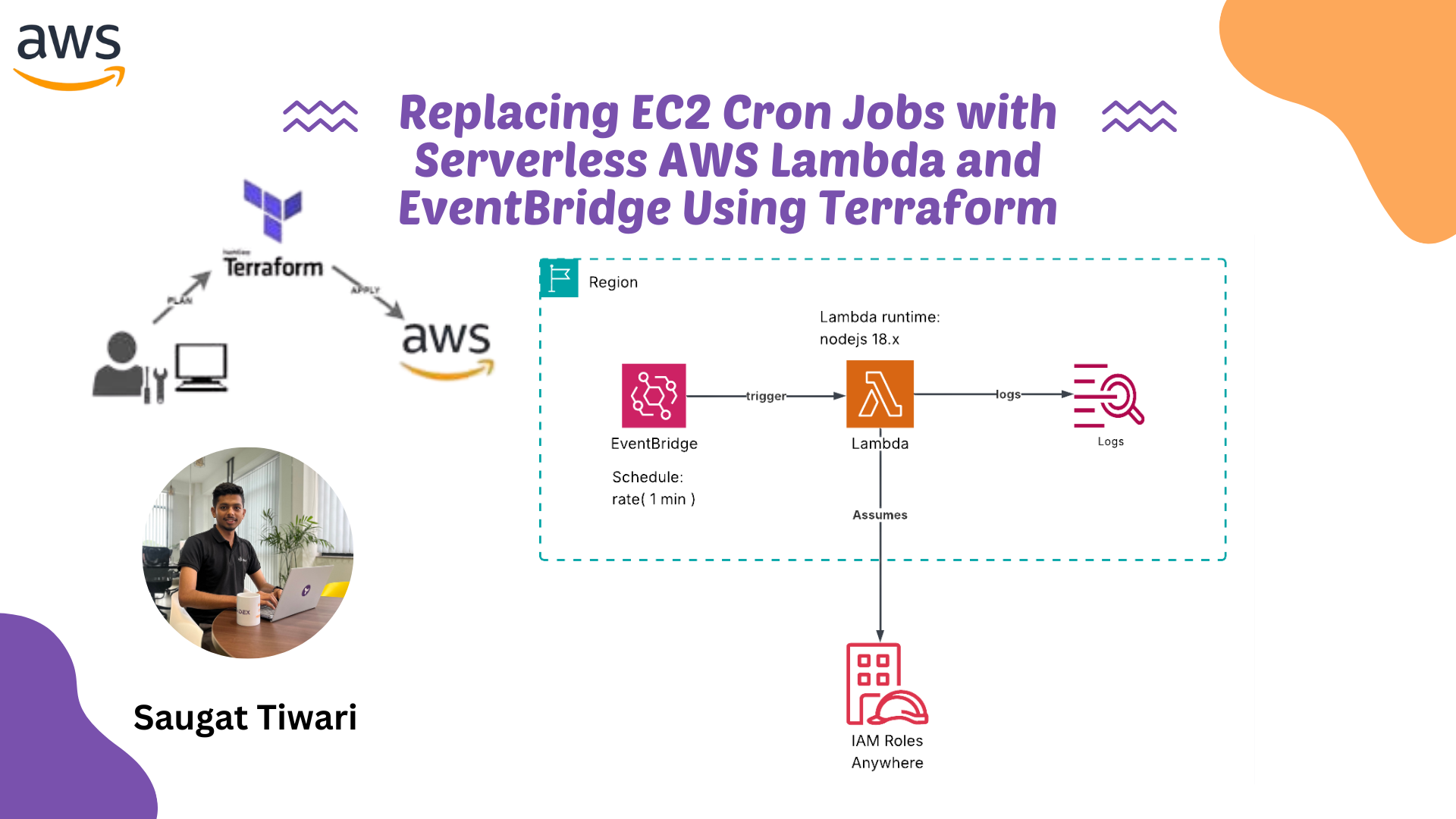
Replacing EC2 Cron Jobs with Serverless AWS Lambda and EventBridge Using Terraform
Introduction
Traditional cron jobs running on EC2 instances have served us well for decades, but they come with significant operational overhead. You need to maintain servers, ensure they’re always running, handle failures, manage scaling, and pay for compute resources 24/7, even when your cron job only runs for a few seconds each day.
Enter serverless cron jobs: a modern approach using AWS Lambda and EventBridge (formerly CloudWatch Events) that eliminates these pain points. With this solution, you pay only for actual execution time, get built-in high availability, automatic scaling, and significantly reduced operational complexity.
In this guide, we’ll walk through implementing a serverless cron job solution using Terraform, transforming your legacy EC2-based scheduled tasks into a fully managed, cost-effective serverless architecture.
The Problems with Traditional Cron Jobs
Before diving into the solution, let’s identify what we’re solving:
- Always-on infrastructure costs: EC2 instances run continuously, even when cron jobs execute for just minutes per day
- Maintenance burden: Operating system updates, security patches, and server management
- Single point of failure: If your EC2 instance goes down, your cron jobs stop running
- Manual scaling: Adding more cron jobs may require instance upgrades or additional servers
- Complex monitoring: Setting up proper alerting and logging requires additional configuration
The serverless approach addresses all these issues while providing a more elegant, modern solution.
Architecture Overview
Our serverless cron solution consists of four main components:
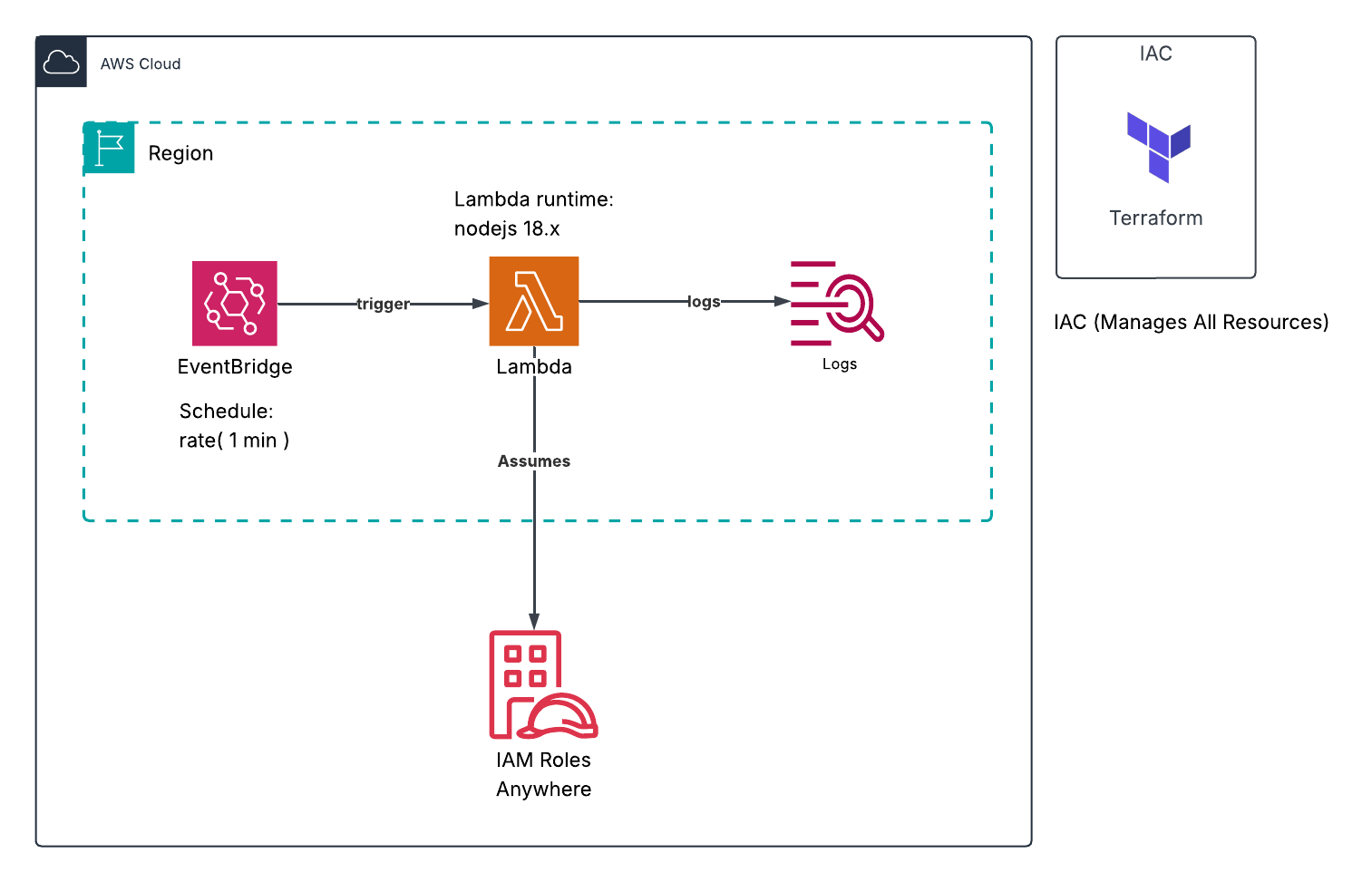
- AWS Lambda: Executes your scheduled code without managing servers
- EventBridge (CloudWatch Events): Triggers Lambda functions on a schedule
- IAM Roles: Provides necessary permissions for Lambda execution
Prerequisites
Before getting started, ensure you have:
- AWS account with appropriate permissions
- Terraform installed (version 1.0 or later recommended)
- Basic understanding of AWS Lambda and IAM
- AWS CLI configured with your credentials
Step-by-Step Implementation
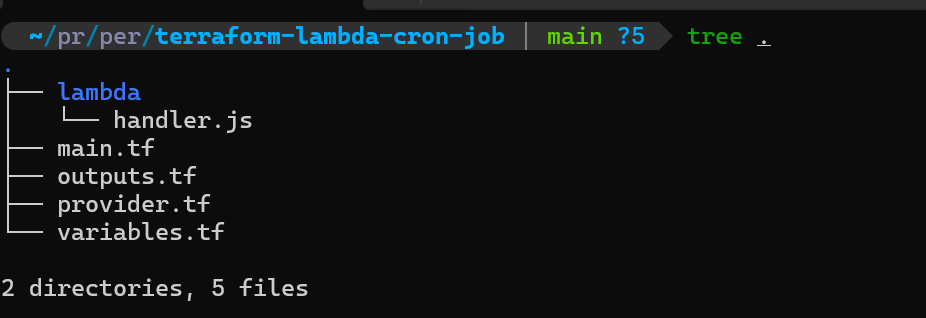
Step 1: Project Structure
First, let’s set up our project structure:
terraform-lambda-cron-job/
├── main.tf
├── variables.tf
├── outputs.tf
├── lambda/
	   └── handler.js
Step 2: Creating the Lambda Function
Create a directory called lambda and inside it, create a file named handler.js:
// lambda/handler.js
exports.handler = async (event) => {
    console.log('Cron job executed at:', new Date().toISOString());

    // Your cron job logic goes here
    // For example: database cleanup, report generation, data sync, etc.

    try {
        // Example task
        console.log('Executing scheduled task...');

        // Simulate some work
        await performTask();

        return {
            statusCode: 200,
            body: JSON.stringify({
                message: 'Cron job completed successfully',
                timestamp: new Date().toISOString()
            })
        };
    } catch (error) {
        console.error('Error executing cron job:', error);
        throw error;
    }
};

async function performTask() {
    // Replace this with your actual task logic
    // Examples:
    // - Clean up old records from DynamoDB
    // - Generate daily reports
    // - Sync data between systems
    // - Send scheduled notifications

    console.log('Task executed successfully');
}
This Lambda function serves as the replacement for your traditional cron job script. The key difference is that it runs in a fully managed environment without any server maintenance.
Step 3: Understanding the Terraform Configuration
Now let’s break down the main.tf file component by component.
IAM Role for Lambda
resource "aws_iam_role" "lambda_role" {
  name = "cron_lambda_role"

  assume_role_policy = jsonencode({
    Version = "2012-10-17"
    Statement = [
      {
        Action = "sts:AssumeRole"
        Effect = "Allow"
        Principal = {
          Service = "lambda.amazonaws.com"
        }
      }
    ]
  })
}
This creates an IAM role that Lambda can assume. The assume role policy allows the Lambda service to use this role when executing your function.
Attaching Basic Execution Policy
resource "aws_iam_role_policy_attachment" "lambda_logs" {
  role       = aws_iam_role.lambda_role.name
  policy_arn = "arn:aws:iam::aws:policy/service-role/AWSLambdaBasicExecutionRole"
}
This attaches AWS’s managed policy that grants permissions to write logs to CloudWatch Logs. This is essential for debugging and monitoring your Lambda function.
Packaging the Lambda Function
data "archive_file" "lambda_zip" {
  type        = "zip"
  source_file = "${path.module}/lambda/handler.js"
  output_path = "${path.module}/lambda/lambda_function.zip"
}
Lambda requires code to be packaged as a ZIP file. This Terraform data source automatically creates a ZIP archive from your handler.js file. Terraform will recreate the ZIP whenever the source file changes.
Creating the Lambda Function
resource "aws_lambda_function" "cron_lambda" {
  filename      = data.archive_file.lambda_zip.output_path
  function_name = "cron_lambda_function"
  role          = aws_iam_role.lambda_role.arn
  handler       = "handler.handler"
  source_code_hash = data.archive_file.lambda_zip.output_base64sha256
  runtime       = "nodejs18.x"
}
This creates the actual Lambda function with the following key parameters:
- filename: Path to the ZIP file containing your code
- function_name: Name of your Lambda function in AWS
- role: IAM role ARN that the function will use
- handler: Entry point for your code (filename.exported_function)
- source_code_hash: Ensures Terraform updates the function when code changes
- runtime: The execution environment (Node.js 18 in this case)
Creating the EventBridge Rule
resource "aws_cloudwatch_event_rule" "every_minute" {
  name                = "every-minute"
  description         = "Fires every minute"
  schedule_expression = "rate(1 minute)"
}
This creates an EventBridge (CloudWatch Events) rule that triggers every minute. The schedule_expression can be customized using either:
- Rate expressions:
rate(1 minute),rate(5 hours),rate(1 day) - Cron expressions:
cron(0 12 * * ? *)(runs at 12:00 PM UTC every day)
Examples of schedule expressions:
- Every 5 minutes:
rate(5 minutes) - Every hour:
rate(1 hour) - Daily at 2 AM UTC:
cron(0 2 * * ? *) - Every Monday at 9 AM UTC:
cron(0 9 ? * MON *)
Connecting EventBridge to Lambda
resource "aws_cloudwatch_event_target" "check_foo_every_minute" {
  rule      = aws_cloudwatch_event_rule.every_minute.name
  target_id = "lambda"
  arn       = aws_lambda_function.cron_lambda.arn
}
This connects your EventBridge rule to your Lambda function, specifying that when the rule triggers, it should invoke this specific Lambda function.
Granting Invocation Permissions
resource "aws_lambda_permission" "allow_cloudwatch_to_call_check_foo" {
  statement_id  = "AllowExecutionFromCloudWatch"
  action        = "lambda:InvokeFunction"
  function_name = aws_lambda_function.cron_lambda.function_name
  principal     = "events.amazonaws.com"
  source_arn    = aws_cloudwatch_event_rule.every_minute.arn
}
This is crucial—it grants EventBridge permission to invoke your Lambda function. Without this, EventBridge wouldn’t be able to trigger your function, even though the rule is properly configured.
Step 4: Deploying the Infrastructure
With all files in place, deploy your serverless cron job:
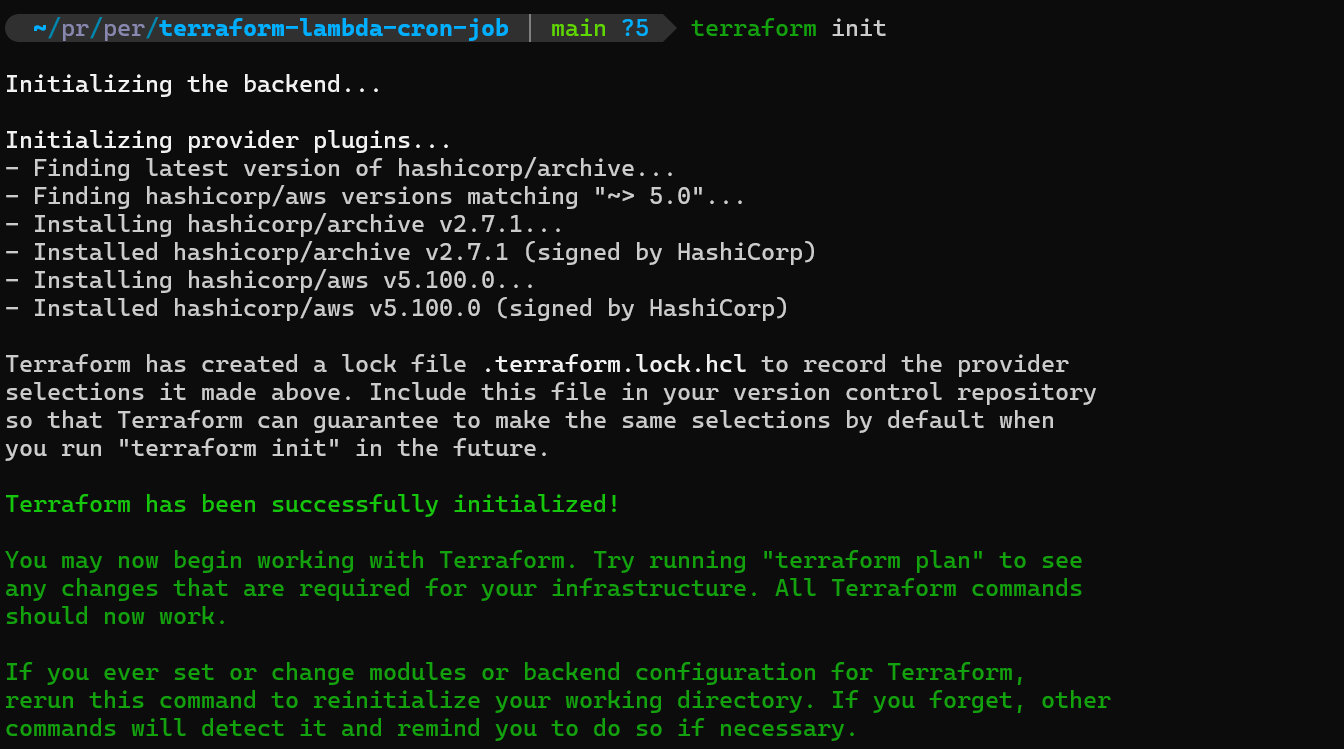
- Initialize Terraform
# Initialize Terraform
terraform init

# Review the execution plan
terraform plan

# Apply the configuration
terraform apply
- Review the execution plan
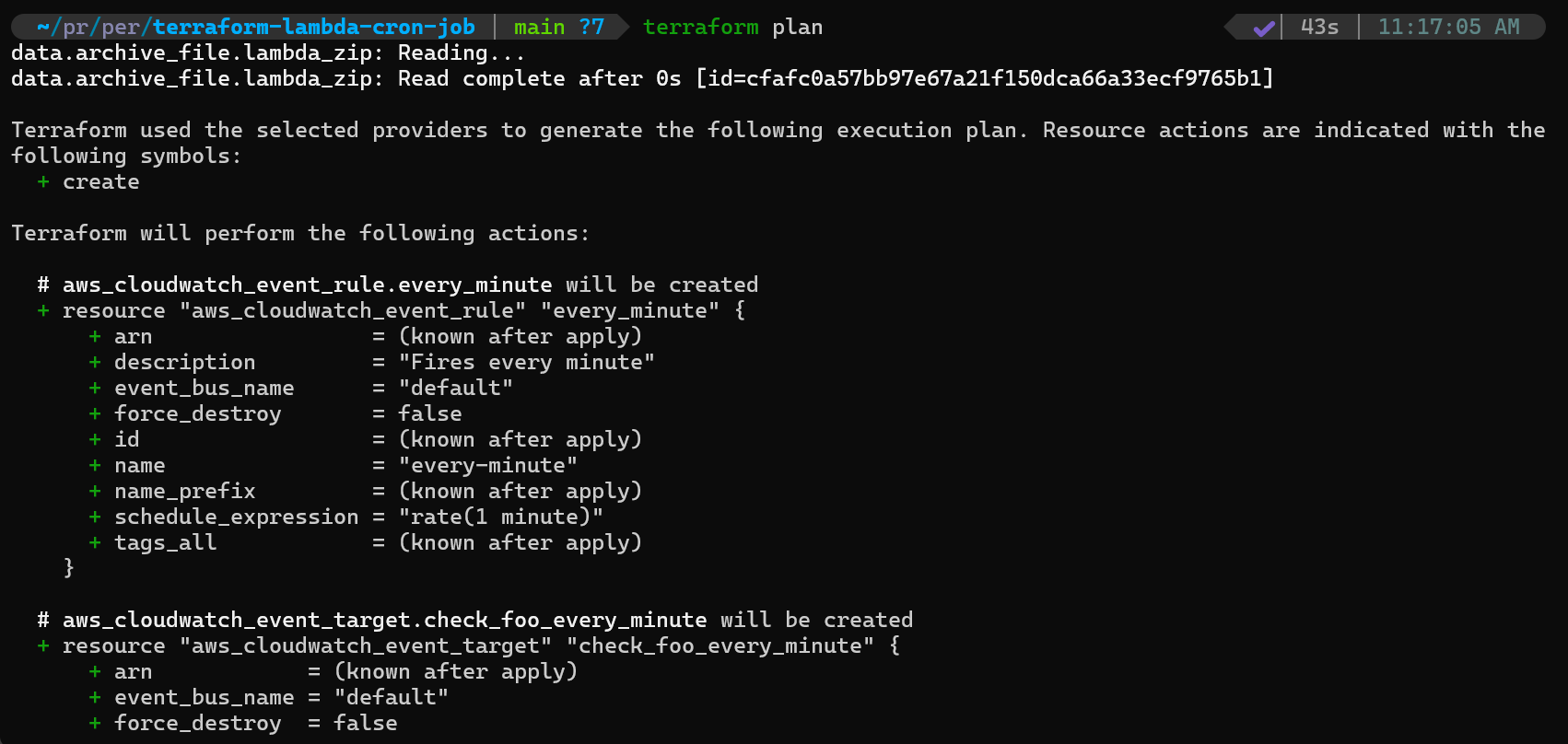
- Apply the configuration
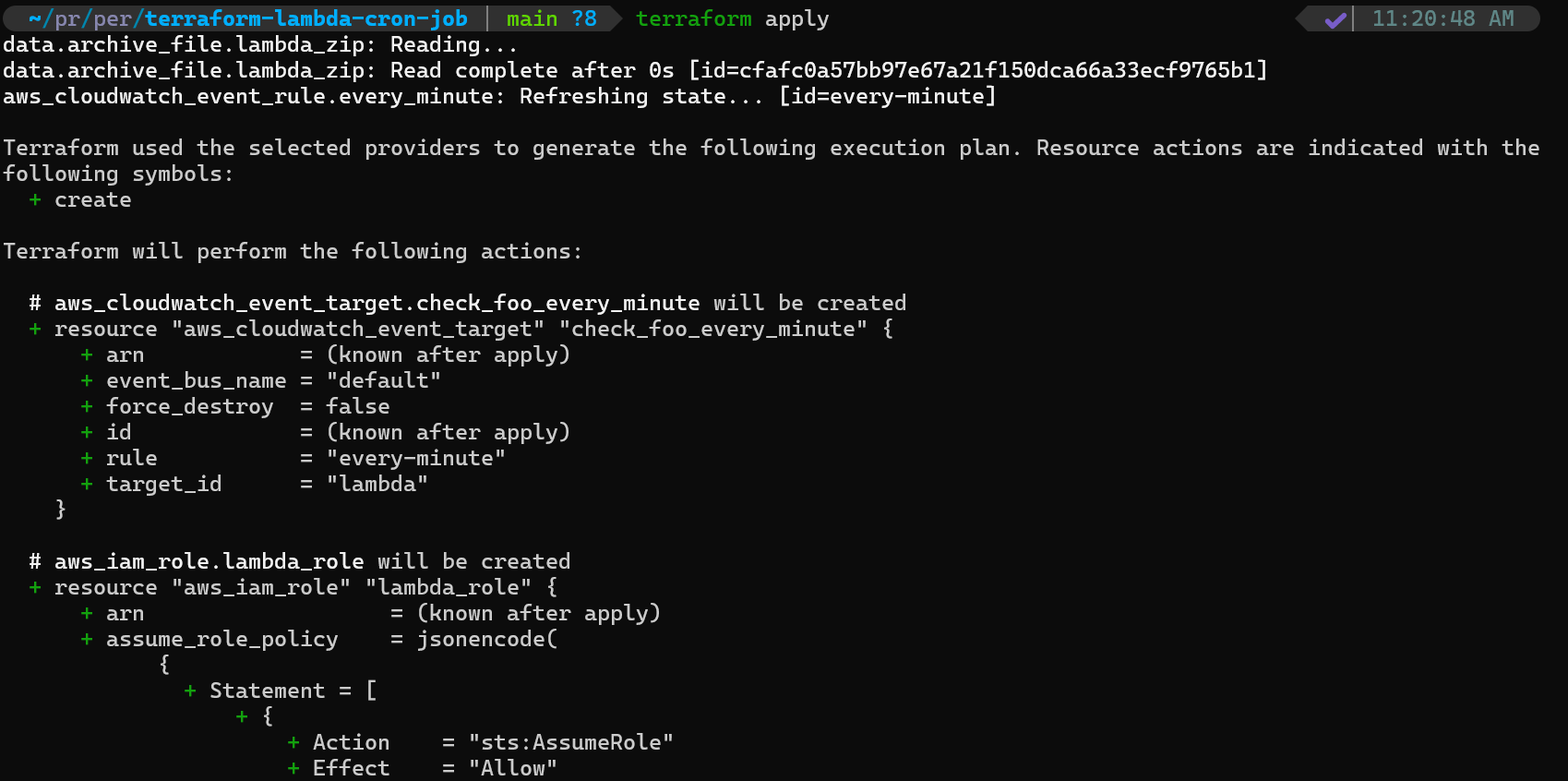
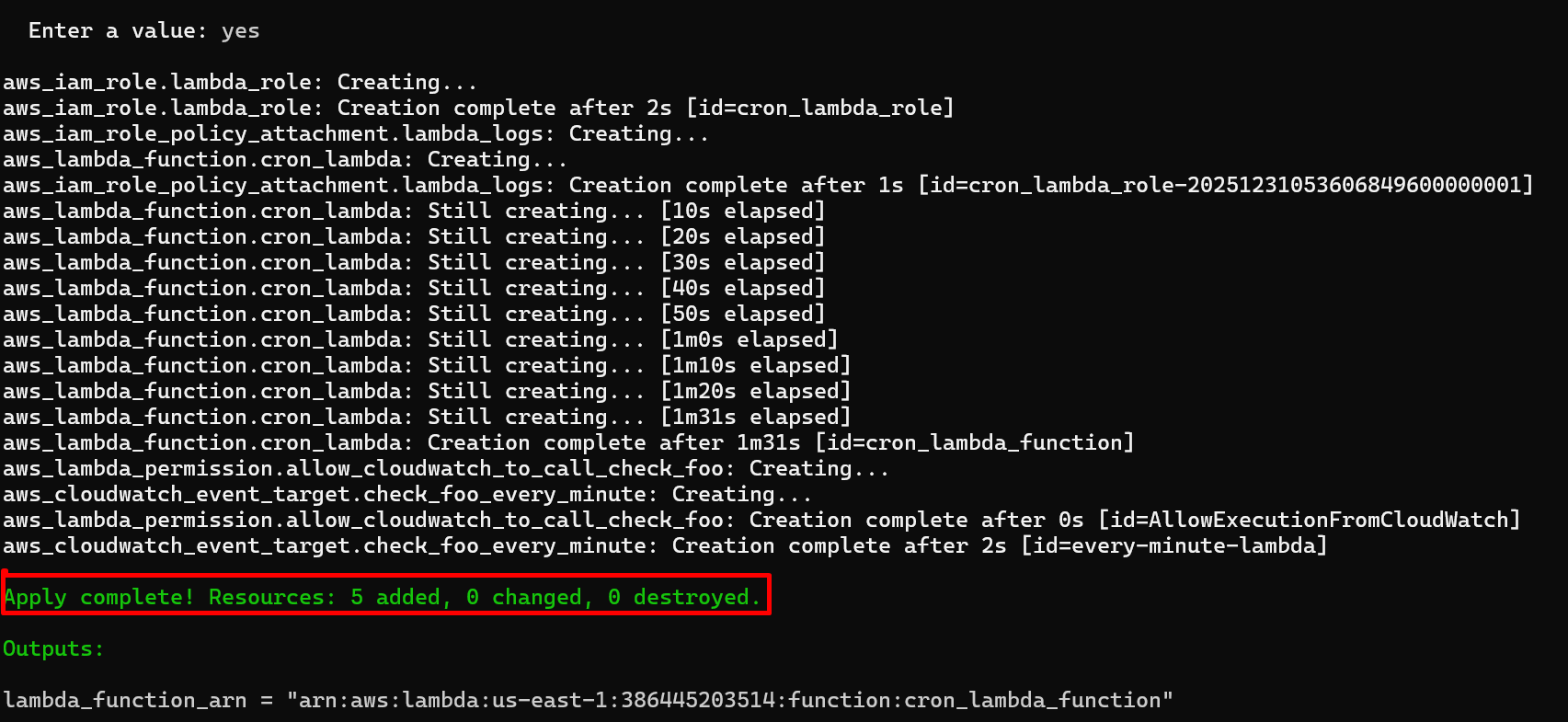
Terraform will create all resources in the correct order, handling dependencies automatically.
Step 5: Verifying the Deployment
After deployment, verify everything is working:
-
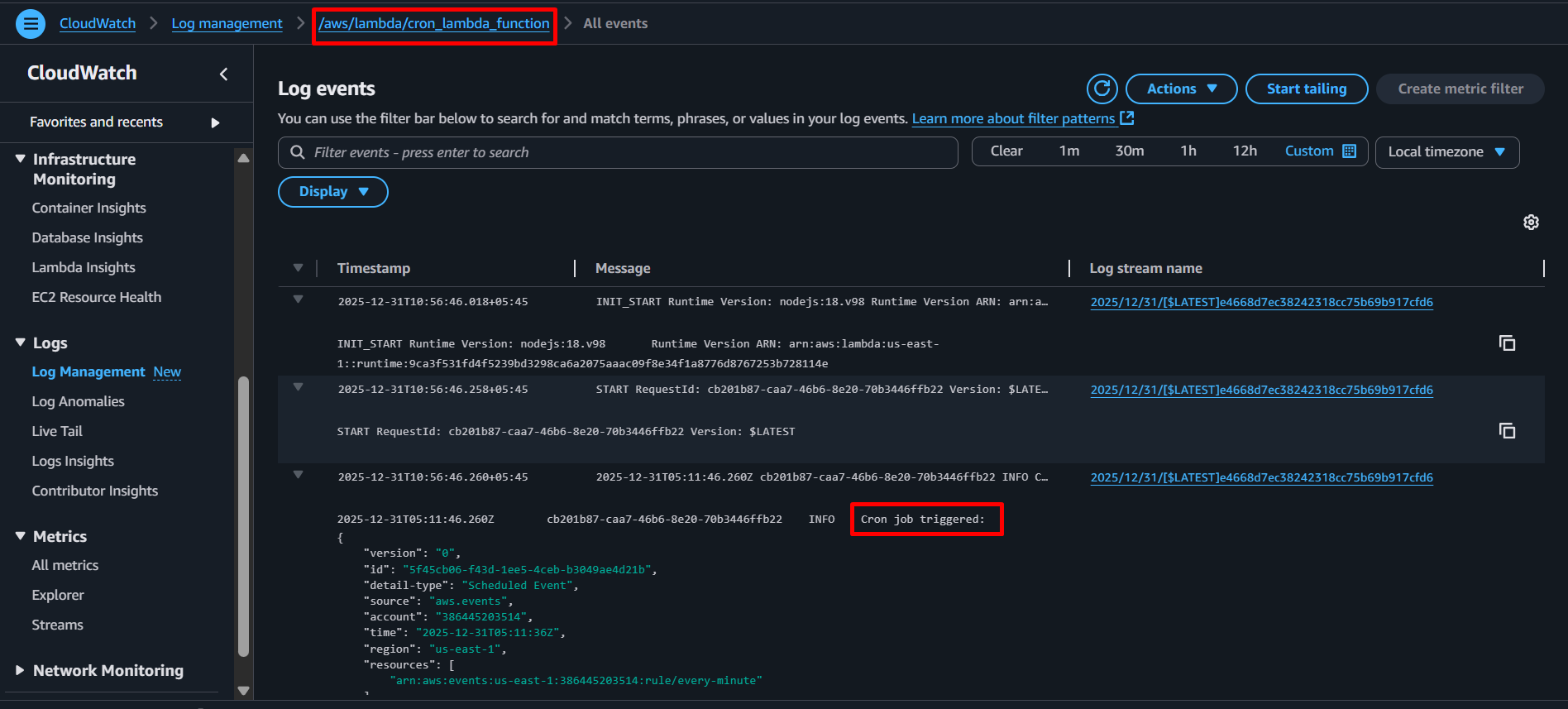
Check Lambda logs in CloudWatch:
- Navigate to CloudWatch Logs in AWS Console
- Find the log group
/aws/lambda/cron_lambda_function
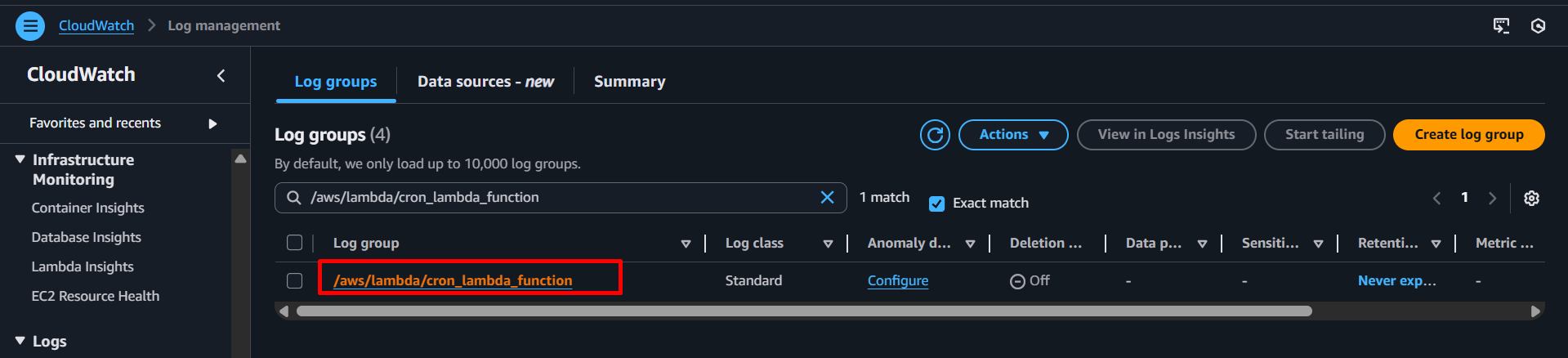
- You should see logs appearing every minute
-
Monitor in AWS Console:
- Go to Lambda → Functions →
cron_lambda_function
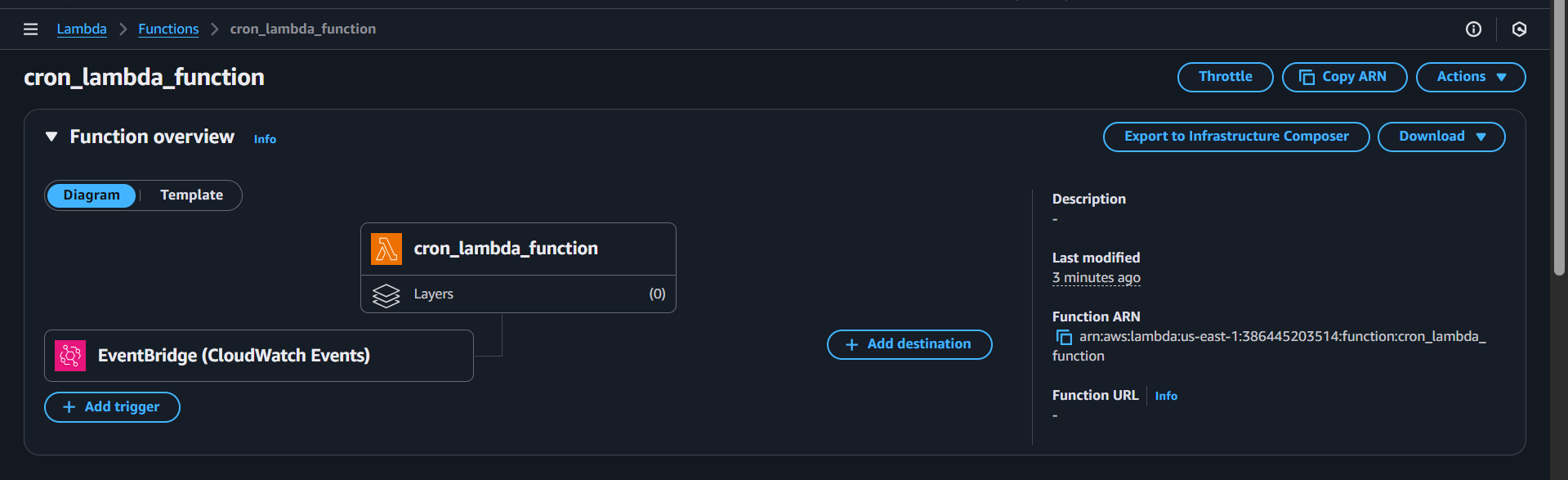
- Check the “Monitor” tab to see invocation metrics

- Go to Lambda → Functions →
-
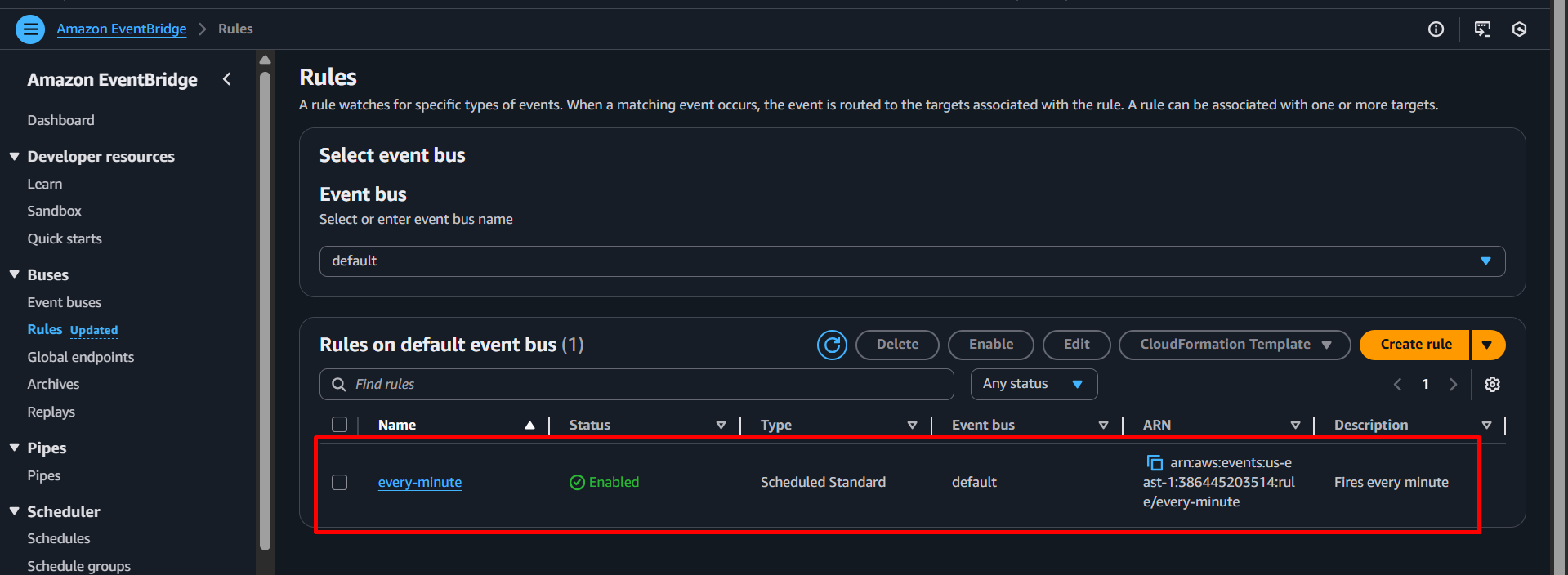
Verify EventBridge rule:
- Go to EventBridge → Rules
- Confirm the
every-minuterule is enabled
Key Advantages of This Solution
1. Cost Optimization
With Lambda, you pay only for:
- Number of requests
- Compute time consumed (billed in 1ms increments)
For a cron job running once per day for 1 second, you’d pay approximately $0.0000002 per execution. Compare this to running an EC2 instance 24/7, which costs at minimum $3-4 per month for a t3.nano instance.
2. Zero Server Management
No more:
- OS patching
- Security updates
- Capacity planning
- SSH access management
- Server monitoring
AWS handles all infrastructure management, allowing you to focus on your application logic.
3. Built-in High Availability
Lambda functions run across multiple availability zones automatically. If one zone fails, your function continues running without interruption.
4. Automatic Scaling
Need to add more scheduled tasks? Simply create additional Lambda functions and EventBridge rules. Each scales independently without affecting others.
5. Integrated Monitoring
CloudWatch Logs and Metrics are automatically configured. Every Lambda execution is logged, and you can create alarms based on errors, duration, or custom metrics.
6. Infrastructure as Code
Using Terraform provides:
- Version control for your infrastructure
- Reproducible deployments across environments
- Easy rollbacks if issues occur
- Clear documentation of your architecture
Best Practices
1. Idempotency
Ensure your Lambda function is idempotent—running it multiple times produces the same result. EventBridge guarantees at-least-once delivery, meaning your function might execute more than once for a single schedule.
2. Timeout Configuration
Set appropriate timeouts based on your task:
resource "aws_lambda_function" "cron_lambda" {
  # ... existing configuration ...
  timeout = 60  # seconds (default is 3)
}
3. Memory Allocation
More memory also means more CPU power:
resource "aws_lambda_function" "cron_lambda" {
  # ... existing configuration ...
  memory_size = 512  # MB (default is 128)
}
4. Error Handling
Always implement proper error handling in your Lambda code to provide meaningful logs for debugging.
5. Use Parameter Store or Secrets Manager
Store sensitive configuration securely:
data "aws_secretsmanager_secret_version" "db_password" {
  secret_id = "prod/db/password"
}

resource "aws_lambda_function" "cron_lambda" {
  # ... existing configuration ...

  environment {
    variables = {
      DB_PASSWORD_ARN = data.aws_secretsmanager_secret_version.db_password.arn
    }
  }
}
Cost Analysis Example
Let’s compare costs for a cron job that runs every hour and executes for 5 seconds:
Traditional EC2 Approach:
- t3.nano instance: ~$3.80/month
- Annual cost: ~$45.60
Serverless Lambda Approach:
- Executions per month: 720 (24 × 30)
- Compute time: 3,600 seconds (720 × 5)
- Lambda requests: $0.20 per 1M requests = $0.000144
- Compute cost: $0.0000166667 per GB-second × 0.128 GB × 3,600 = $0.0077
- Total monthly cost: ~$0.008
- Annual cost: ~$0.096
Savings: 99.8%
Conclusion
Migrating from traditional EC2-based cron jobs to serverless Lambda functions with EventBridge represents a significant leap forward in operational efficiency, cost optimization, and scalability. By eliminating server management overhead, you free up time to focus on building features rather than maintaining infrastructure.
The Terraform-based approach we’ve outlined provides a reproducible, version-controlled method to manage your scheduled tasks. You get the benefits of Infrastructure as Code combined with the power of serverless computing.
Whether you’re running database cleanup tasks, generating daily reports, processing batch jobs, or sending scheduled notifications, this serverless approach provides a modern, efficient, and cost-effective solution.
Start small by migrating one non-critical cron job, validate the approach, and then systematically migrate the rest of your scheduled tasks. Your future self (and your AWS bill) will thank you.
Stay tuned for more. Let’s connect on Linkedin and explore my GitHub for future insights.