Securing AWS Infrastructure: A Simple Walkthrough to Cloud Security
Introduction
When you move your infrastructure to the cloud, security becomes a big concern. AWS has a good platform that offers protection to your data and applications but it is crucial to know how to use them.
In this post, we’ll walk through the essential steps to secure your AWS environment and ensure you’re protected from any form of attack.
1. The Shared Responsibility Model: Who Does What?
The Shared Responsibility Model is among the first concepts to grasp regarding AWS security. AWS secures the cloud which comprises of network, hardware, and physical security. However, it is your responsibility to secure the data and applications that you have put in the cloud.
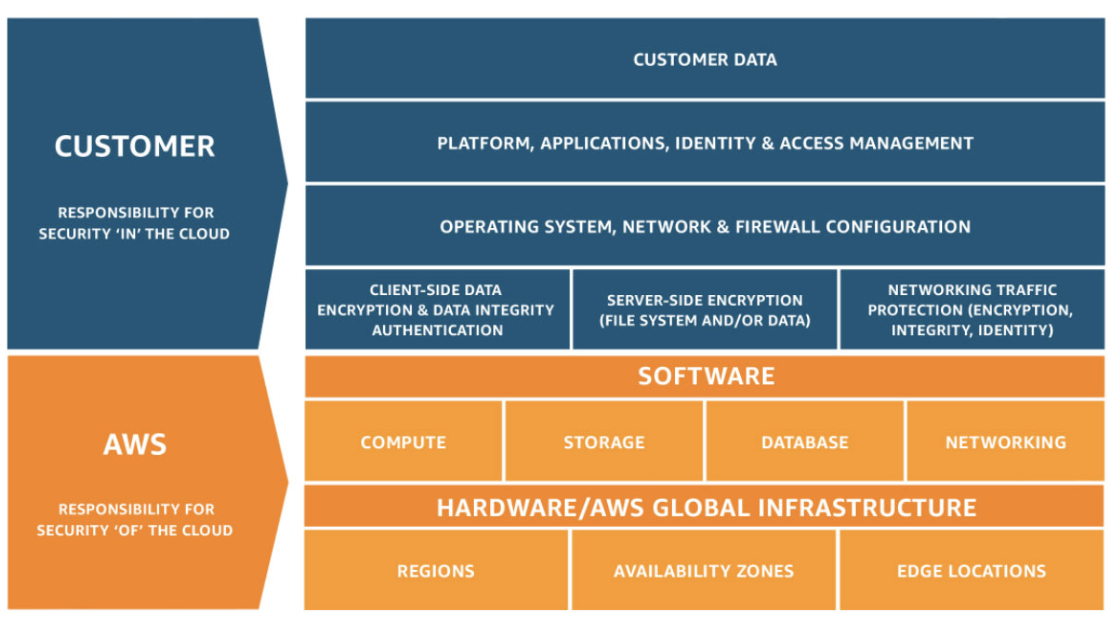
Fig: AWS Shared Responsibility Model
This thus means that even though AWS secures the physical environment and their services are reliable, one has to take care of access controls, encryption and many other issues on his/her own. It’s a team effort!
For more please go through this document: https://docs.aws.amazon.com/whitepapers/latest/introduction-aws-security/security-of-the-aws-infrastructure.html
2. Identity and Access Management (IAM): Who Can Do What?
IAM is the main method of controlling access in AWS. It enables you to set permissions for users and assign them the right to perform certain tasks on specific resources.
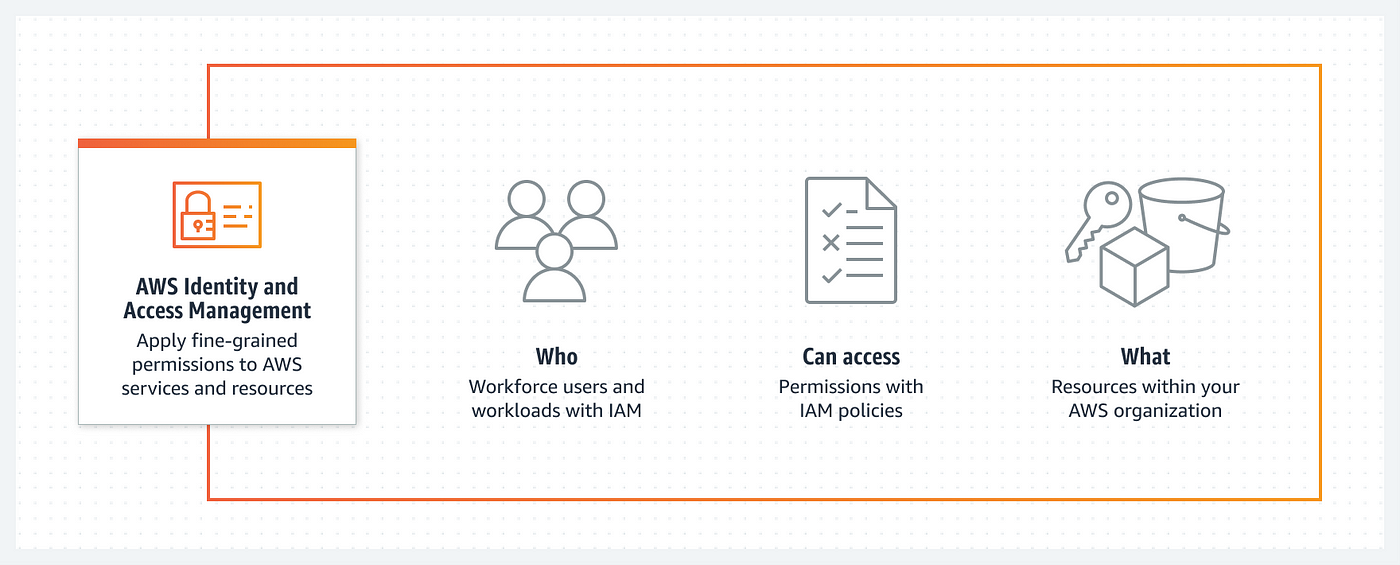
Some key tips:
- Follow the Principle of Least Privilege: Only give users and applications the permissions they actually need. This limits potential damage if an account is compromised.
- Enable Multi-Factor Authentication (MFA): Adding an extra layer of security helps prevent unauthorized access, even if someone gets a password.
- Use IAM Roles: Instead of giving permissions to individuals, assign roles that applications or services can assume. This keeps things more organized and secure.
To explore this services please have a look on AWS IAM product page:https://aws.amazon.com/iam/
3. VPC Security: Locking Down Your Network
A VPC (Virtual Private Cloud) is like your private network within AWS. To secure it:
- Use Security Groups and Network ACLs to control traffic to and from your instances.
- Place sensitive resources in private subnets where they aren’t exposed to the internet, and keep less-sensitive resources in public subnets.
- Secure private connections using VPN or Direct Connect if you need to link your on-premise infrastructure to AWS.
To explore this services please have a look on AWS VPC Product page: https://aws.amazon.com/vpc/
4. Data Encryption: Keeping Your Information Safe
Whether your data is at rest or in transit, encryption is crucial:
- At rest: AWS offers easy encryption options with services like S3, EBS, and RDS. You can also manage your own encryption keys through AWS KMS (Key Management Service).
- In transit: Use SSL/TLS to encrypt data during transfer. This ensures that sensitive information stays safe, even when it’s moving across the network.
For more please go through following link: https://docs.aws.amazon.com/whitepapers/latest/logical-separation/encrypting-data-at-rest-and–in-transit.html
5. Auditing: Keeping Track of Everything
To maintain control and stay compliant, it’s important to have an audit trail. AWS provides CloudTrail, which logs every API call made within your environment. This means you can track who did what and when—a lifesaver when it comes to understanding security incidents or just keeping an eye on your operations.
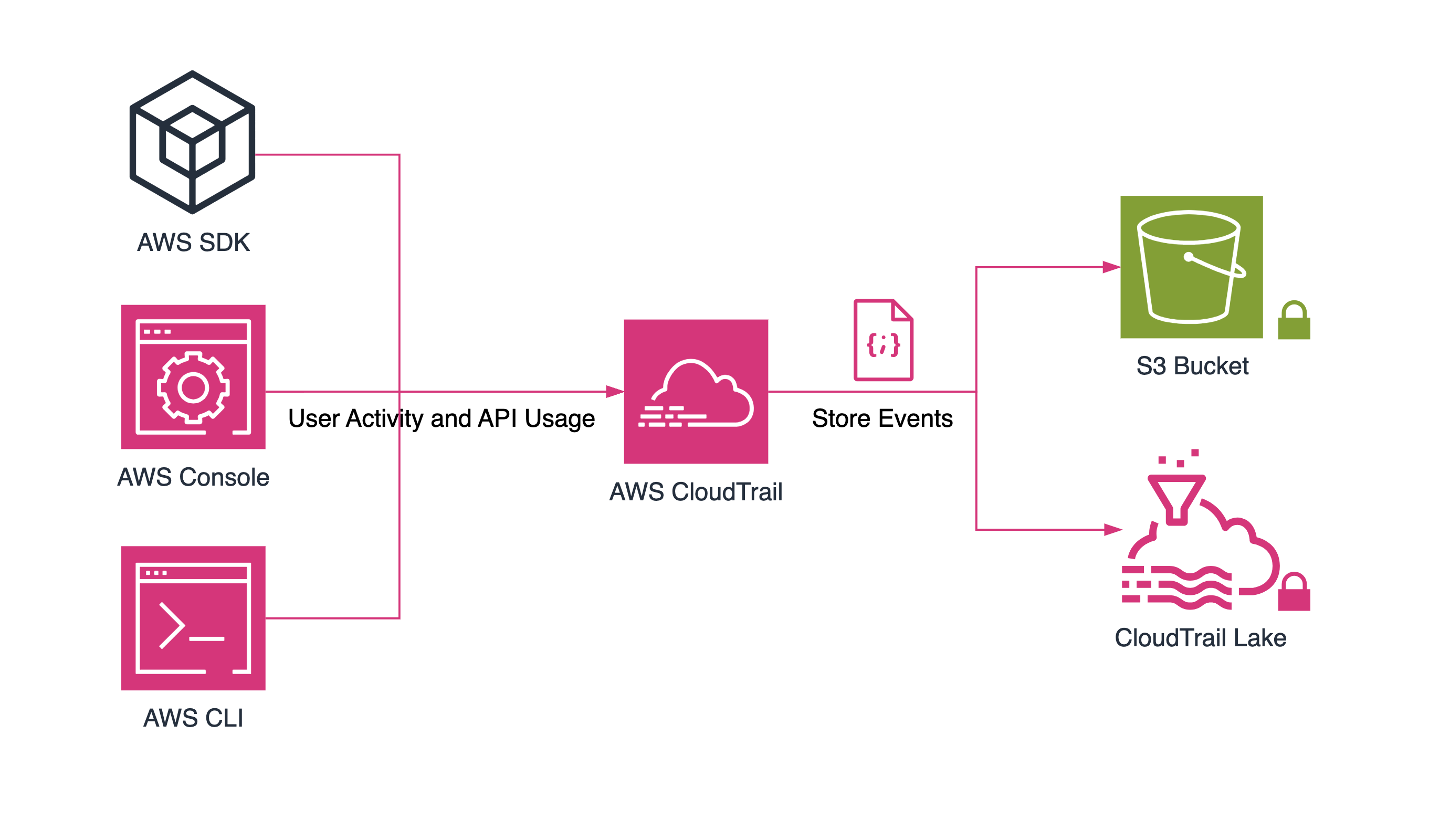
Fig: AWS CloudTrail for Auditing
For more please go through following AWS docs: https://docs.aws.amazon.com/mwaa/latest/userguide/monitoring-cloudtrail.html
6. Monitoring and Logging: Staying on Top of Security
To detect potential issues early and respond to incidents fast, you need continuous monitoring:
- CloudWatch helps you track metrics and set alarms for unusual activity.
- AWS Config records your resource configurations, so you can see how things change over time.
- CloudTrail logs provide detailed insights into who’s accessing your resources and what they’re doing, giving you a clearer picture of any unauthorized access.
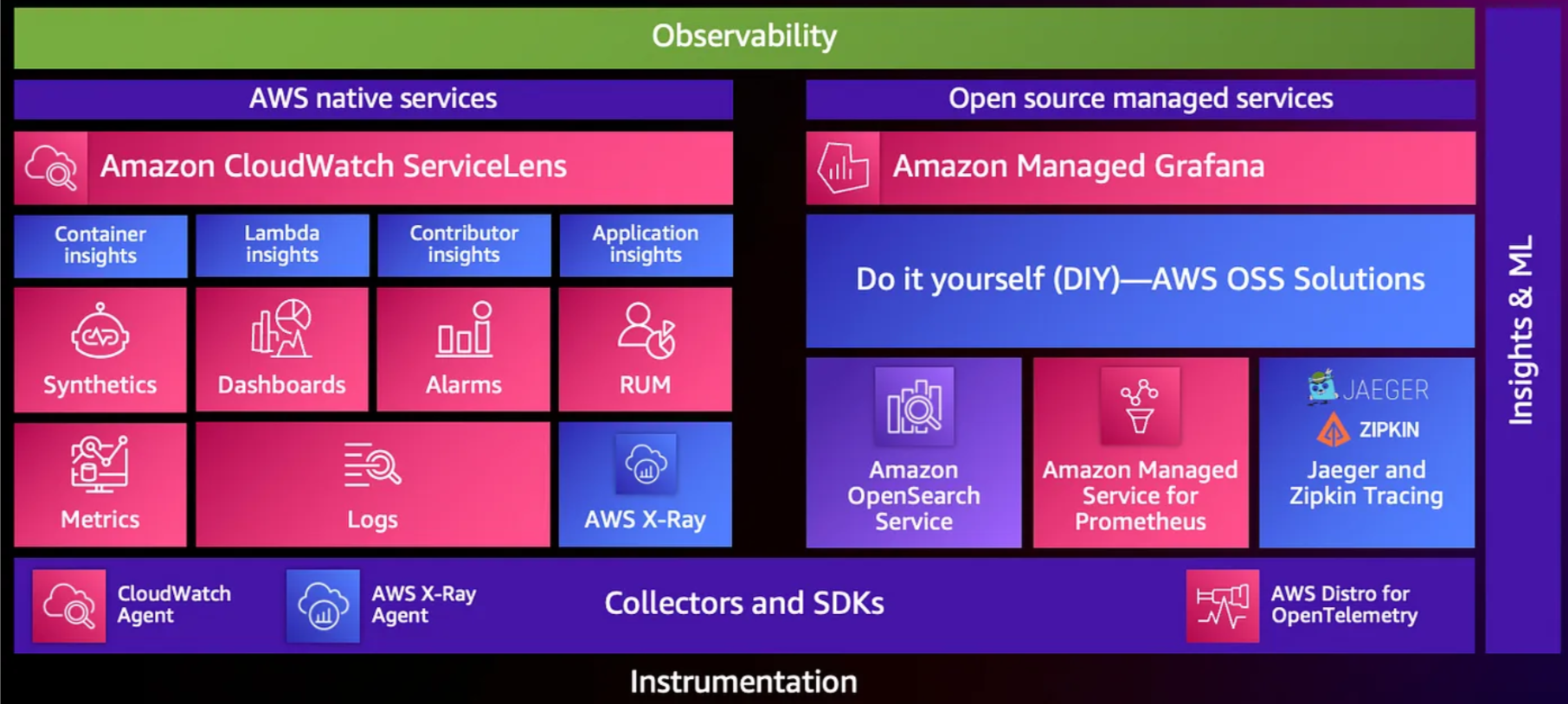
For more please check out the link: https://docs.aws.amazon.com/prescriptive-guidance/latest/logging-monitoring-for-application-owners/aws-services-logging-monitoring.html
7. Incident Management: Be Ready to Respond
Even with great security measures, things can go wrong. That’s why having an incident management plan is critical:
- AWS Security Hub provides a centralized view of your security findings, helping you spot potential threats.
- You can automate responses with AWS Lambda. For example: isolating an instance or revoking compromised credentials.
- Finally, ensure you have a disaster recovery plan in place. Services like AWS Backup and S3 Glacier help you protect your data and recover quickly if something goes wrong.

Fig: One of the incident management processes that AWS uses
Wrapping Up: Building a Secure AWS Environment
Securing your AWS infrastructure isn’t a one-time task, it’s an ongoing effort. By leveraging the Shared Responsibility Model, implementing strong IAM practices, locking down your VPC, encrypting data, keeping an eye on logs, and having a solid incident response plan, you can build a resilient and secure cloud environment.
The key is to stay proactive and make security part of your daily cloud management. AWS offers a lot of powerful tools, but it’s up to you to use them wisely and keep your systems safe.
Stay tuned for more. Let’s connect on Linkedin and explore my GitHub for future insights.